Understanding Computer Repair: Basics and Beyond
In today’s digital age, computers are integral to our daily lives, impacting everything from professional work to personal communication. As they become more complex, the need for effective computer repair is paramount. Understanding what computer repair entails is essential for anyone who wants to maintain their devices. This article will delve into the various aspects of computer repair, empowering you with knowledge and practical skills to handle common issues.
What is computer repair?
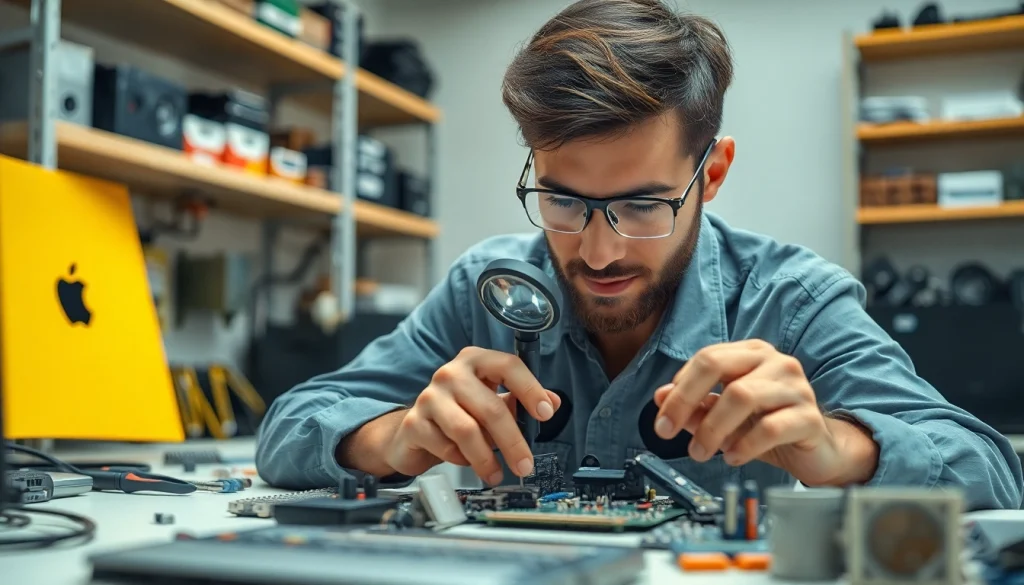
Computer repair encompasses a series of processes aimed at diagnosing and fixing hardware and software problems in computers. This can include everything from replacing broken parts like hard drives and motherboards to dealing with software issues such as operating system errors and malware infections. Professionals in this field may work on desktops, laptops, and even tablets, providing services that restore functionality, enhance performance, and improve user experience.
Common issues faced in computer repair
The realm of computer repair features a variety of issues, some of which are more prevalent than others. Common challenges include:
- Hardware failures: These might involve issues with the hard drive, power supply, or motherboard, which can prevent a computer from booting up or functioning correctly.
- Software glitches: Programs may crash, become unresponsive, or fail to launch due to bugs, requiring troubleshooting or reinstallation.
- Security threats: Viruses, malware, and other security threats can compromise system performance and data integrity, making security cleanup and installation crucial.
- Connectivity issues: Problems with Wi-Fi or network connections hinder access to online resources and can arise from hardware malfunctions or software misconfigurations.
Key terminology in computer repair
Familiarizing oneself with the terminology used in computer repair can enhance one’s understanding and ability to communicate effectively with professionals. Important terms include:
- Booting: The process of starting up a computer and loading the operating system.
- Driver: Software that allows the operating system to communicate with hardware components.
- BIOS: Basic Input/Output System that initializes and tests hardware at startup before the OS loads.
- Malware: Malicious software designed to disrupt or damage systems.
- Firmware: Software programmed into hardware, such as a motherboard, that controls device functionality.
Essential Tools for Successful Computer Repair
For anyone involved in computer repair, having the right tools can significantly impact the effectiveness and efficiency of the work performed. Below we discuss must-have tools, diagnostic software, and necessary safety measures.
Must-have tools for computer repair
A well-equipped technician’s toolkit is fundamental when servicing computers. Essential tools include:
- Screwdrivers: Various sizes, especially Phillips-head and flathead, are crucial for opening computer cases and securing components.
- Anti-static wrist strap: This device prevents electrostatic discharge (ESD) that can damage sensitive electronic components.
- Thermal paste: Used to improve heat transfer between processors and heatsinks, ensuring optimal cooling.
- Multimeter: A versatile tool for measuring voltage, current, and resistance, useful for diagnosing power supply issues.
- Toolbox: A sturdy toolbox to keep tools organized and accessible is ideal for mobile repair technicians.
Diagnostic software for efficient repair
Software plays a significant role in diagnosing and troubleshooting computer issues. Some essential diagnostic tools include:
- Antivirus programs: To detect and remove malware infections.
- System monitoring tools: Applications like HWMonitor provide insights into system health, including temperature and usage metrics.
- Disk management utilities: Tools for checking disk integrity and managing partitions, such as CrystalDiskInfo.
- Memory diagnostic tools: Programs capable of identifying memory issues, including Windows Memory Diagnostic.
Safety measures while working on repairs
Safety should always be a priority during computer repairs. Adhering to these measures will help prevent accidents:
- Disconnect power sources: Always turn off and unplug devices before starting repairs.
- Use ESD protection: Wearing an anti-static wrist strap can prevent ESD damage while handling components.
- Adequate lighting: Ensure you have sufficient lighting to avoid mistakes while working on delicate components.
- Proper ventilation: If soldering or working with chemicals, ensure proper ventilation to avoid inhaling harmful fumes.
Troubleshooting Common Computer Repair Issues
Identifying and fixing computer issues requires a systematic approach. Below we examine methodologies for diagnosing hardware failures, addressing software glitches, and resolving network problems.
Diagnosing hardware failures
Hardware failures can manifest in various ways. A few steps for diagnosing issues include:
- Visual Inspection: Check for visible signs of damage like burnt components, loose connections, or corrosion.
- Listening for Beeps: Many computers produce beeping codes at startup, indicating hardware failures like RAM or motherboard issues.
- Component Testing: Swap out components like RAM or power supply with known good parts to isolate failures.
- Run Diagnostic Software: Utilize software tools to perform hardware tests that identify failing components.
Addressing software bugs and glitches
Software problems can be frustrating, but there are effective troubleshooting strategies to employ:
- Safe Mode Boot: Restart the computer in Safe Mode to troubleshoot issues without loading non-essential programs.
- Update Software: Ensure your operating system and applications are up to date to avoid bugs from outdated versions.
- Uninstall Problematic Programs: If a recently installed application is causing issues, uninstall it to restore functionality.
- System Restore: Revert your system to a previous state where it functioned properly using the System Restore feature.
Dealing with connectivity and network problems
Network issues can prevent access to resources. To troubleshoot connectivity problems, follow these steps:
- Check Physical Connections: Ensure all cables are securely connected and check for damage.
- Router Reset: Restarting the router can often resolve issues with connectivity.
- Network Troubleshooter: Use built-in network troubleshooting tools to identify and fix common problems automatically.
- IP Configuration Reset: Use commands like “ipconfig /reset” in the command prompt to resolve IP conflicts or incorrect settings.
Professional Techniques in Computer Repair
In addition to troubleshooting, there are specific professional techniques that can enhance repair efficiency and effectiveness. We will explore steps for effective repairs, strategies for data recovery, and optimal maintenance practices post-repair.
Step-by-step approach to effective repairs
A methodical approach can ensure successful repairs. Consider implementing these steps:
- Assessment: Understand the issue by discussing symptoms with the user and conducting initial diagnostics.
- Planning: Formulate a repair plan that outlines the steps and resources needed to resolve the issue.
- Execution: Carefully perform repairs according to planned procedures, documenting changes made during the process.
- Testing: After repairs, thoroughly test the unit to ensure that problems have been rectified.
- Documentation: Provide documentation to the user that specifies repairs made, replaced parts, and recommendations for future care.
Data recovery strategies in computer repair
Data loss can be one of the most distressing issues for computer users. Implementing effective data recovery strategies can mitigate loss:
- Image Creation: Before attempting repairs, create an image of the hard drive to preserve the state of data.
- Utilize Recovery Software: Employ specialized data recovery software tools to retrieve lost files from corrupted drives.
- External Recovery Tools: If the drive is failing, connecting it externally to another computer may allow access for recovery.
- Hire Professionals: In cases of severe data loss, consider engaging professional services that specialize in data recovery.
Optimal maintenance practices post-repair
After performing repairs, it’s crucial to guide users on maintenance practices to prolong device life:
- Regular Updates: Encourage periodic updates for the operating system and software to maintain security and functionality.
- Scheduled Maintenance: Conduct routine checks for dust accumulation and hardware wear that may hinder performance.
- Backups: Recommend regular data backups to prevent loss from unforeseen issues.
- Virus Protection: Advise users to install robust antivirus software and perform regular scans.
Future Trends in Computer Repair Services
The field of computer repair is continuously evolving. Understanding the future trends can help repair professionals adapt and stay relevant.
The rise of remote computer repair
Remote support services have become increasingly popular, allowing technicians to diagnose and fix issues without being physically present. This trend can be attributed to:
- Convenience: Users appreciate the ability to receive help without having to transport their devices.
- Speed: Remote repairs can be initiated and resolved quickly, minimizing downtime.
- Cost-Effectiveness: Remote services can often be provided at reduced rates compared to in-person visits.
Integration of AI in computer diagnostics
Artificial intelligence is beginning to revolutionize the field of computer repair:
- Predictive Maintenance: AI can analyze usage patterns to predict potential failures before they occur.
- Automated Diagnostics: Systems utilizing AI can automatically diagnose problems based on error logs and user input, streamlining the repair process.
- Enhanced Customer Support: AI-driven chatbots can handle basic queries and troubleshooting, allowing human technicians to focus on more complex issues.
Sustainability and eco-friendly practices in computer repair
As awareness of environmental issues grows, the computer repair industry is adopting more sustainable practices:
- Recycling Parts: Repair shops are increasingly focused on recycling and reusing parts to minimize waste.
- Energy-Efficient Solutions: Encouraging the use of energy-efficient hardware and software can reduce overall environmental impact.
- Responsible Disposal: Providing guidance on responsibly disposing of non-functional electronic devices can help reduce e-waste.